This content has been automatically translated from Ukrainian.
During the installation of Ruby 3.4.3 via RVM on macOS (ARM / Apple Silicon), you may encounter the following error:
rvm install "ruby-3.4.3"ruby-3.4.3 - #removing src/ruby-3.4.3 - please waitSearching for binary rubies, this might take some time.No binary rubies available for: osx/26.2/arm64/ruby-3.4.3.Continuing with compilation. Please read 'rvm help mount' to get more information on binary rubies.Checking requirements for osx.Installing requirements for osx.Updating system - please waitInstalling required packages: pkg-config - please waitCertificates bundle '/opt/homebrew/etc/openssl@1.1/cert.pem' is already up to date.Requirements installation successful.Installing Ruby from source to: /Users/username/.rvm/rubies/ruby-3.4.3, this may take a while depending on your cpu(s)...ruby-3.4.3 - #downloading ruby-3.4.3, this may take a while depending on your connection...ruby-3.4.3 - #extracting ruby-3.4.3 to /Users/username/.rvm/src/ruby-3.4.3 - please waitruby-3.4.3 - #configuring - please waitruby-3.4.3 - #post-configuration - please waitruby-3.4.3 - #compiling - please wait Error running '__rvm_make -j10',please read /Users/username/.rvm/log/1767089315_ruby-3.4.3/make.log There has been an error while running make. Halting the installation.
The logs from make will look like this:
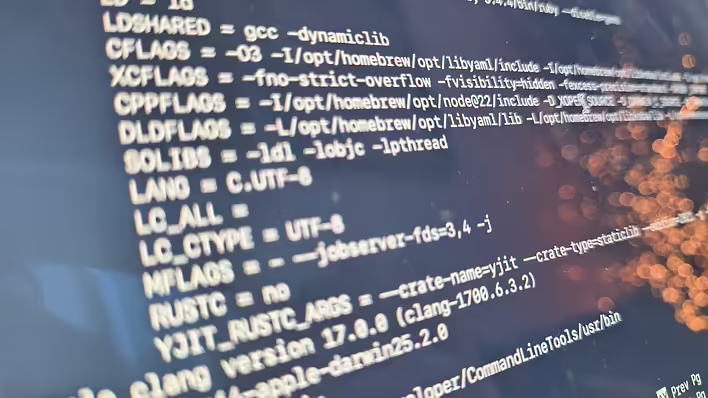
+__rvm_make:0> make -j10file2lastrev.rb: does not seem to be under a vcs: . BASERUBY = /Users/username/.rvm/rubies/ruby-3.4.4/bin/ruby --disable=gems CC = gcc LD = ld LDSHARED = gcc -dynamiclib CFLAGS = -O3 -I/opt/homebrew/opt/libyaml/include -I/opt/homebrew/opt/libksba/include -I/opt/homebrew/opt/readli$ XCFLAGS = -fno-strict-overflow -fvisibility=hidden -fexcess-precision=standard -DRUBY_EXPORT -I. -I.ext/include$ CPPFLAGS = -I/opt/homebrew/opt/node@22/include -D_XOPEN_SOURCE -D_DARWIN_C_SOURCE -D_DARWIN_UNLIMITED_SELECT -D$ DLDFLAGS = -L/opt/homebrew/opt/libyaml/lib -L/opt/homebrew/opt/libksba/lib -L/opt/homebrew/opt/readline/lib -L/$ SOLIBS = -ldl -lobjc -lpthread LANG = C.UTF-8 LC_ALL = LC_CTYPE = UTF-8 MFLAGS = - --jobserver-fds=3,4 -j RUSTC = no YJIT_RUSTC_ARGS = --crate-name=yjit --crate-type=staticlib --edition=2021 -g -C lto=thin -C opt-level=3 -C over$Apple clang version 17.0.0 (clang-1700.6.3.2)Target: arm64-apple-darwin25.2.0Thread model: posixInstalledDir: /Library/Developer/CommandLineTools/usr/bincompiling ./main.ccompiling dmydln.ccompiling miniinit.ctranslating probes probes.d
RVM cannot find a pre-built binary for this OS version and attempts to compile Ruby from source, but the compilation fails.
Reason
Ruby 3.4.x requires OpenSSL 3, but by default RVM:
- either pulls in OpenSSL 1.1
- or does not pass the path to OpenSSL at all
This causes make to fail with an error.
Solution
You need to explicitly specify the path to OpenSSL 3 installed via Homebrew.
Make sure OpenSSL 3 is installed:
brew install openssl@3
Install Ruby with the explicit parameter:
rvm install ruby-3.4.3 --with-openssl-dir=$(brew --prefix)/opt/openssl@3
After this, Ruby will successfully:
- compile
- install
- create gemsets
- become available for use
Useful to know
- The message No binary rubies available - is not an error, it simply means that RVM has switched to building from source
- Ruby 3.4.x on macOS ARM currently often requires manual configuration
- A similar problem may occur with other version managers
If Ruby 3.4.x cannot be installed via RVM on macOS - explicitly linking openssl@3 almost always helps.
Like it?React
🧵
This post doesn't have any additions from the author yet.