This content has been automatically translated from Ukrainian.
Embedded programming — is the development of software for devices that have limited computing capabilities and perform specialized tasks. Unlike conventional programming for PCs or mobile devices, this involves working with microcontrollers, microprocessors, and other embedded systems.
Embedded devices include:
- Automotive electronics (engine control units, ABS, airbags)
- Home appliances (washing machines, microwaves, smart refrigerators)
- Smart devices (smartwatches, thermostats, smart home systems)
- Industrial controllers
- Robotics
- Medical devices (cardiac monitors, insulin pumps)
Features of Embedded Programming
- Limited resources: memory, processing power, and energy consumption are often very limited. The code must be as efficient as possible.
- Real-time operation: many embedded systems must process data without delays (for example, a car's braking system cannot wait additional milliseconds to process a command).
- Working with hardware: the programmer must understand the principles of electronics, reading data from sensors, working with GPIO (input/output pins), SPI, I2C, UART, and other protocols.
- Stability and security: devices often operate without rebooting for months or years, so the code must be secure and resilient to failures.
Getting Started
1. Choosing a Microcontroller
The first step is to choose a platform for learning. Here are some popular options:
- Arduino (ATmega328, ESP32, STM32) — a great option for beginners due to the abundance of documentation and simple syntax.
- ESP8266 / ESP32 — ideal for IoT projects, featuring Wi-Fi and Bluetooth.
- STM32 — powerful 32-bit microcontrollers used in real industrial applications.
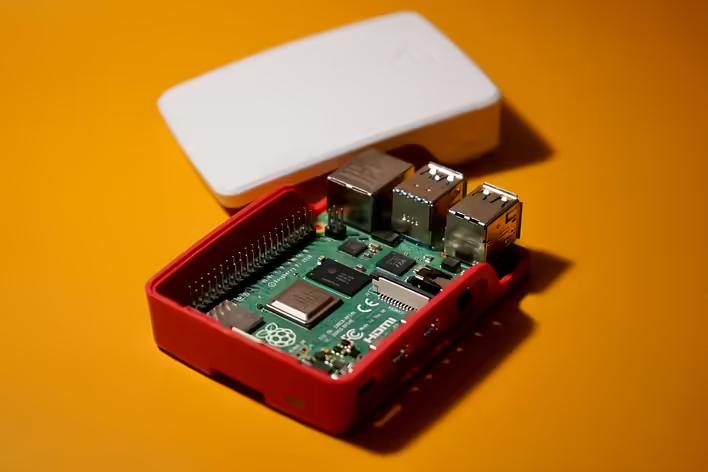
- Raspberry Pi — a mini-computer that allows working with both Linux and low-level GPIO control.
2. Programming Languages
The most popular languages for embedded programming:
- C — the primary language for microcontrollers, as it provides control over memory and efficiency.
- C++ — used in more complex systems (e.g., robotics, IoT).
- Python (MicroPython) — popular for educational and simple IoT projects.
3. Development Environment
- Arduino IDE — to get started with Arduino and ESP.
- PlatformIO — a more powerful alternative to Arduino IDE.
- Keil / STM32CubeIDE — for working with STM32 microcontrollers.
- Raspberry Pi OS + Python — for development on Raspberry Pi.
4. Working with Hardware
For a beginner, it is important to understand:
- How GPIO works (digital and analog input/output)
- Communication protocols (I2C, SPI, UART)
- Working with sensors (temperature, light, motion)
- Controlling motors (servo, stepper, DC)
Simple Example
If you are starting with Arduino, you can create a classic project — blinking an LED.
Code for Arduino:
int led = 13;

void setup() {
  pinMode(led, OUTPUT);
}

void loop() {
  digitalWrite(led, HIGH);
  delay(1000);
  digitalWrite(led, LOW);
  delay(1000);
}
This code simply turns the LED on and off once a second.
Next Steps
- Try connecting sensors — for example, DHT11 for measuring temperature.
- Work with Wi-Fi — use ESP32 to send data to the cloud.
- Focus on energy saving — learn how to reduce energy consumption.
- Understand RTOS — this will allow you to work with multitasking in embedded systems.
Overall, the best method of learning is to work on your own project. Think of a home problem you could solve with a DIY device.
Embedded programming is a fantastic field for those who enjoy combining programming with electronics. It opens doors to creating real devices, from simple DIY projects to complex control systems. If you are just starting, the best approach is to choose a platform (Arduino, ESP, STM), try a few basic projects, and gradually move on to more complex tasks.
Like it?React
🧵
This post doesn't have any additions from the author yet.






![[Codecov] What is the difference between patch and project coverage?](https://cdn.tseivo.com/mi3s9vfufh0fvn9k88zlxratvgw3)