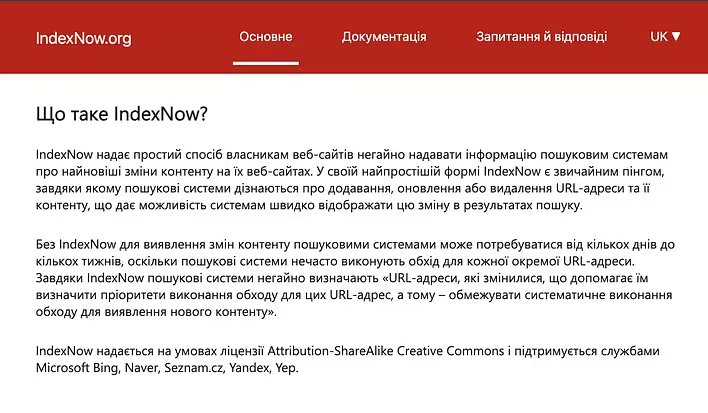
IndexNow is an open protocol that allows website owners to notify search engines about changes on their pages almost immediately after they are made.
Instead of waiting for the search bot to find a new or changed page during its next crawl of the site, the site can send a message to the search engine: “this URL has changed - check it”.
This is especially useful for sites where pages are frequently created, updated, or deleted.
Previously, webmasters used various ping tools. Over time, they all stopped working. Instead, this tool has emerged. It will be interesting to see how long it lasts (considering the number of spammers).
Site - https://www.indexnow.org/uk_ua/index
How IndexNow Works
The mechanism is quite simple:
A special API key is created on the site.
The key is placed in the root of the domain (in the form of a file).
When a page is created, updated, or deleted, the site sends its URL via IndexNow.
The search engine receives the message.
The bot can come to the page faster and check for changes.
For example, you published a new article:
https://example.com/blog/indexnow
Instead of waiting for the next crawl of the site, you can notify the search engine about this URL via IndexNow. This feature is already built into tseivo.com.
Which Search Engines Support IndexNow
IndexNow is used by more than one search engine. The protocol is supported by, among others, Bing, Microsoft, and other search engines and services that have integrated IndexNow.
Important point: sending a URL via IndexNow does not guarantee indexing.
The protocol only informs the search engine that the page has changed. The decision to crawl and index remains with the search engine.
IndexNow is Not a Replacement for Sitemap
These two tools serve different purposes.
Sitemap is a way to inform search engines which URLs exist on the site and which pages should be considered during crawling.
IndexNow is a mechanism for promptly notifying that a specific URL has changed.
Therefore, they can be used together.
For example:
sitemap contains all important pages of the site;
IndexNow notifies about a new article;
IndexNow notifies about an update to an old article;
IndexNow notifies about a page deletion.
Thus, the sitemap remains a permanent map of the site, while IndexNow works as a prompt notification of changes.
Should All URLs Be Sent
No.
There is no particular sense in constantly sending the same URL if nothing has changed on the page.
IndexNow should be triggered only when a significant change has occurred:
a new page is created;
content is updated;
important information is changed;
a page is deleted;
the URL is changed.
For example, if a cron job runs on the site every hour that simply checks the sitemap, it does not mean that all URLs need to be sent via IndexNow every hour.
It is better to react specifically to the event of a page change.
IndexNow and SEO
IndexNow can help reduce the time between the publication or update of a page and its discovery by the search engine.
However, IndexNow itself does not improve the page's ranking.
It does not replace:
quality content;
internal linking;
sitemap;
proper canonical tags;
robots.txt;
site speed optimization;
external links;
technical SEO.
That is, IndexNow is primarily a tool for faster notification of changes, not a factor that automatically boosts the site in search results.
Should You Use IndexNow
For a small static site, the benefit may be minimal. If new pages are published once a month and search bots already crawl the site regularly, IndexNow may not be critically important.
However, for sites with a large number of pages or frequent changes, it can be significantly more useful.
This is especially true for:
news sites;
online stores;
directories;
sites with a large number of dynamic pages;
sites where content is regularly updated;
large content projects.
IndexNow or Google Search Console?
These are also not interchangeable.
Google has its own mechanisms for discovering and crawling pages. Search Console allows you to manually request indexing for a specific URL, but using a manual request for hundreds or thousands of pages is inconvenient.
IndexNow is designed specifically for automatically notifying supported search engines about changes.
Therefore, for a large site, it makes more sense to automate the process at the CMS or backend level.
How to Integrate IndexNow
The best option is to connect IndexNow directly at the moment of content change.
For example, after creating an article:
Article Creation
       ↓
Saving to DB
       ↓
Publishing
       ↓
Sending URL to IndexNow
       ↓
Search engine receives notification
The same scheme works for updating a page.
In a CMS, this can be implemented through a callback, background job, or a separate task after successfully saving the content.
For a site with a large number of URLs, you can also send multiple URLs in one request if supported by the IndexNow implementation.
IndexNow is a simple way to notify search engines about changes on the site.
Its main advantage is not that it “improves SEO,” but that the search engine does not have to wait for it to accidentally discover changes during the next crawl.
Services like CloudFlare offer this functionality out of the box. However, I recommend implementing this functionality yourself.