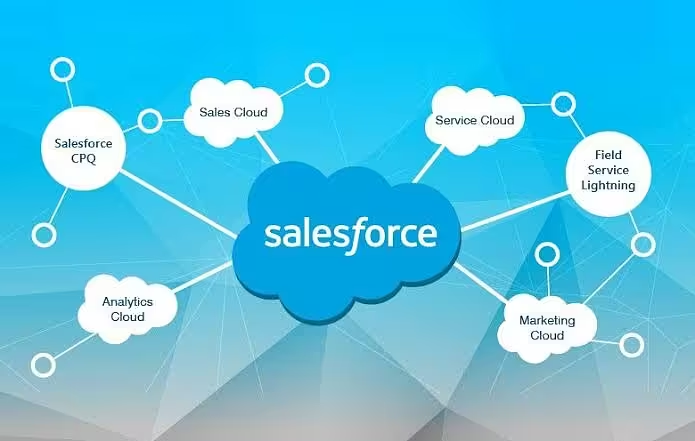
Enterprises depend on Salesforce as the system of record for customers, revenue, and operations. Whenever that data must move during a CRM consolidation, an org merge, a legacy system retirement, or a shift to a new Salesforce architecture, the migration itself becomes a business-critical project. A poorly planned migration can introduce duplicate records, broken automation, compliance gaps, and lost user trust. A well-planned one, on the other hand, becomes the foundation for cleaner reporting, faster adoption, and long-term scalability. This is why many organizations partner with experienced Salesforce Development Services providers who bring proven frameworks, tooling expertise, and governance discipline to complex enterprise migrations.
Why Data Migration Planning Matters for Enterprises
Enterprise data migrations differ from small-business moves in scale, complexity, and risk. Multiple business units, integrated systems, and years of accumulated data all raise the stakes. Getting migration planning right up front reduces downtime, protects data integrity, and keeps regulatory and audit requirements intact throughout the transition.
Beyond technical accuracy, enterprises also need to consider organizational readiness. Sales, service, and marketing teams often rely on Salesforce daily, so any disruption directly affects revenue and customer experience. Involving business stakeholders early, setting realistic timelines, and communicating changes clearly are just as important as the technical migration steps themselves.
Pre-Migration Best Practices
1. Conduct a Thorough Data Audit
Before any records move, teams should understand exactly what they have. This includes:
- Cataloging all data sources, objects, and custom fields
- Identifying duplicate, incomplete, or outdated records
- Mapping data ownership and business-critical fields
- Flagging sensitive or regulated data (PII, financial, healthcare)
2. Define a Clear Migration Scope and Governance Model
Enterprises should document exactly which objects, records, and historical data will migrate, along with clear rules for data ownership, access, and change control. A formal governance model prevents scope creep and keeps stakeholders aligned as the project progresses.
3. Cleanse and Standardize Data Early
Migrating bad data simply relocates the problem. Best practice is to cleanse, deduplicate, and standardize formats such as addresses, phone numbers, and picklist values before migration begins, not after.
4. Plan for Security and Compliance from Day One
Enterprise data often includes personally identifiable information, financial records, or industry-regulated data. Migration plans should define field-level security, sharing rules, and encryption requirements before the first record moves, ensuring the target org meets the same or stronger compliance standards as the source system.
Choosing the Right Migration Strategy
There is no single approach that fits every enterprise. The right strategy depends on data volume, downtime tolerance, and system complexity:
- Big Bang Migration: all data moves in a single cutover window; suited to smaller, less complex datasets
- Phased Migration: data moves in stages by object, business unit, or region; reduces risk for large enterprises
- Parallel Run Migration: old and new systems operate simultaneously for validation before final cutover
Many organizations rely on specialized Salesforce Development Services to evaluate these options against their infrastructure and recommend the approach that best balances risk, cost, and timeline.
Execution Best Practices
1. Build a Detailed Data Mapping Document
Every source field should be mapped to its destination field, with transformation logic clearly noted for format changes, currency conversions, or picklist realignment. This document becomes the single source of truth for developers and QA teams.
2. Use ETL Tools Suited to Salesforce
Enterprise migrations typically rely on established ETL and integration tools rather than manual imports. Common choices include:
- Salesforce Data Loader for bulk CSV-based operations
- Informatica, MuleSoft, or Talend for complex, multi-system integrations
- Custom Apex or API-based scripts for highly specific transformation logic
3. Migrate in Small, Testable Batches
Rather than loading millions of records at once, enterprises should migrate in controlled batches, validating each one before proceeding. This limits the blast radius of any error and makes rollback far easier.
4. Preserve Relationships and Record IDs
Parent-child relationships, lookups, and external IDs must be mapped carefully so that related records such as accounts, contacts, and opportunities stay correctly linked after migration.
5. Test Rigorously Before Go-Live
Testing should cover more than record counts. Teams should validate:
- Field-level data accuracy against source records
- Automation, workflows, and validation rules firing correctly
- Reports and dashboards reflecting migrated data accurately
- Integration endpoints continuing to sync as expected
Post-Migration Best Practices
- Reconcile record counts and spot-check a sample against source systems
- Monitor system performance and error logs for the first several business cycles
- Archive or decommission legacy systems only after a stabilization period
- Train end users on any structural or process changes introduced by the migration
- Document lessons learned for future migrations or org expansions
The Role of Salesforce Development Services
Enterprise migrations touch security, compliance, automation, and integrations all at once, which is why most large organizations engage specialized Salesforce Development Services rather than treating migration as a purely internal IT task. Experienced partners typically contribute:
- Certified Salesforce architects who design scalable data models
- Proven migration frameworks that reduce project risk and timeline overruns
- Deep familiarity with Salesforce APIs, governor limits, and platform constraints
- Post-migration support to fine-tune automation, security, and performance
Working with the right Salesforce Development Services partner allows enterprises to focus on business outcomes while technical execution is handled by teams who migrate Salesforce data as their core discipline.
Common Challenges and How to Avoid Them
- Underestimating data volume and complexity: mitigated with a thorough upfront audit
- Ignoring data relationships: preserve external IDs and map relationships explicitly
- Skipping user acceptance testing: involve business users before go-live, not after
- Poor communication across teams: assign a single project owner and clear status reporting
- No rollback plan: always maintain a validated backup before cutover
Conclusion
Salesforce data migration is far more than a technical file transfer; it is a strategic project that shapes how reliably an enterprise can run its business afterward. Success depends on thorough planning, disciplined execution, rigorous testing, and careful post-migration monitoring. For enterprises without deep in-house migration expertise, partnering with experienced Salesforce Development Services can significantly reduce risk, accelerate timelines, and ensure the platform is positioned for long-term growth.
Like it?React
🧵
This post doesn't have any additions from the author yet.