Using the iPhone 11 is pleasant: the device combines speed and a sleek body. But the battery ages — this is a normal process for all lithium-ion batteries. Therefore, it is important to understand what percentage of wear your device has and whether it is time for a replacement, so you don’t find yourself without communication at an inconvenient moment.
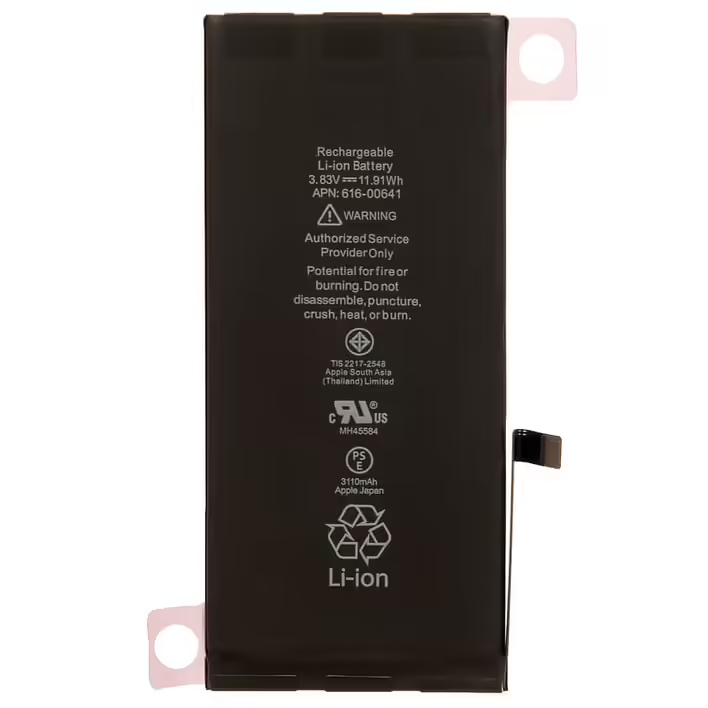
If you notice that the battery capacity has significantly decreased, or you encounter other issues indicating wear, it may be time to consider a replacement. It is important to use a quality iPhone 11 battery to restore the device's original performance and autonomy. You can obtain such a component, for example, from the online store of spare parts for phones and laptops "Artmobile," which offers reliable components.
Checking the battery status of the iPhone 11
The built-in iOS tools allow you to quickly find out the main battery indicators. To get this information, follow these simple steps:
Open the Settings app on your iPhone 11.
Find the Battery section and tap on it.
Open Battery Health and Charging to view the indicators.
In the window, you will see two key values: Maximum Capacity and Peak Performance. Here’s a brief overview of each.
What Maximum Capacity means
Maximum Capacity shows how much energy the battery can hold compared to its new state. If it was 100% at the beginning, after many charging cycles, this percentage decreases. For example, 85% means that the battery holds only 85% of the original charge.
When the indicator drops to 80% or lower, it is a clear signal that the autonomy has noticeably decreased and it is worth considering a replacement. Also, pay attention to the peak performance status: if the system reports limitations, the phone may slow down to avoid sudden shutdowns.
Signs that it’s time to replace the battery
If the indicators in the settings are questionable, pay attention to the device's behavior — these signals are also important:
rapid battery drain;
increased heating of the body under load;
sudden shutdowns with a charge percentage above zero;
noticeable system slowdown during heavy tasks;
unstable charge percentage readings.
If you notice one or more signs, it is worth seeking diagnostics or battery replacement. For reliable replacement, you can contact the online store of spare parts for phones and laptops "Artmobile" or an authorized service that uses original components.
Extending the lifespan of the iPhone 11 battery
There are simple habits that can help delay battery wear and extend the time between replacements:
Activate optimized charging.
Avoid exposing the device to extreme heat or extreme cold.
Use certified chargers.
Keep the charge between approximately 20% and 80%.
Update iOS in a timely manner for improved energy management.
Check which apps are consuming charge and limit the background activity of problematic programs.
Turn off unnecessary communication modules when they are not needed.
Small changes in daily use can have a noticeable effect. They won’t return the battery to 100%, but they will delay its failure and make usage more convenient.
When to consult specialists
When Maximum Capacity drops below 80% or you regularly encounter rapid drain, sudden shutdowns, or serious slowdowns — it’s time to see specialists. Professional battery replacement will restore the autonomy and stability of the phone's operation. Prefer services that work with quality components and provide a warranty for their work.
Summary on the battery status of the iPhone 11
You can check the battery status of the iPhone 11 in a few minutes in the system settings. Monitor the Maximum Capacity and Peak Performance indicators, pay attention to behavioral signs, and take care of the battery with simple habits. This will allow the smartphone to serve longer without unexpected problems and maintain comfort in daily tasks.