The content of the file is published unchanged. I am not responsible for the consequences of using this information.
The materials provided below are published exclusively for reference.Any electrical installation work must be carried out by qualified specialists in accordance with current standards and regulations. All decisions are made at your own risk.
Want to be prepared for power outages?
The KS 5200PS power station makes this possible both at home and in the office!The KS 5200PS can function as a solar station but also as a large portable power bank and UPS (uninterruptible power supply).
The KS 5200PS power station has an integrated LiFePO4 battery of 51.2 V 100 A*hour, which allows for the creation of an energy reserve of 5120 Wh. The inverter module of the station has a power of up to 5200 W, which is sufficient for most common consumers.
Moreover, this station has a grounded neutral, which is important for consumers such as heating boilers, etc.
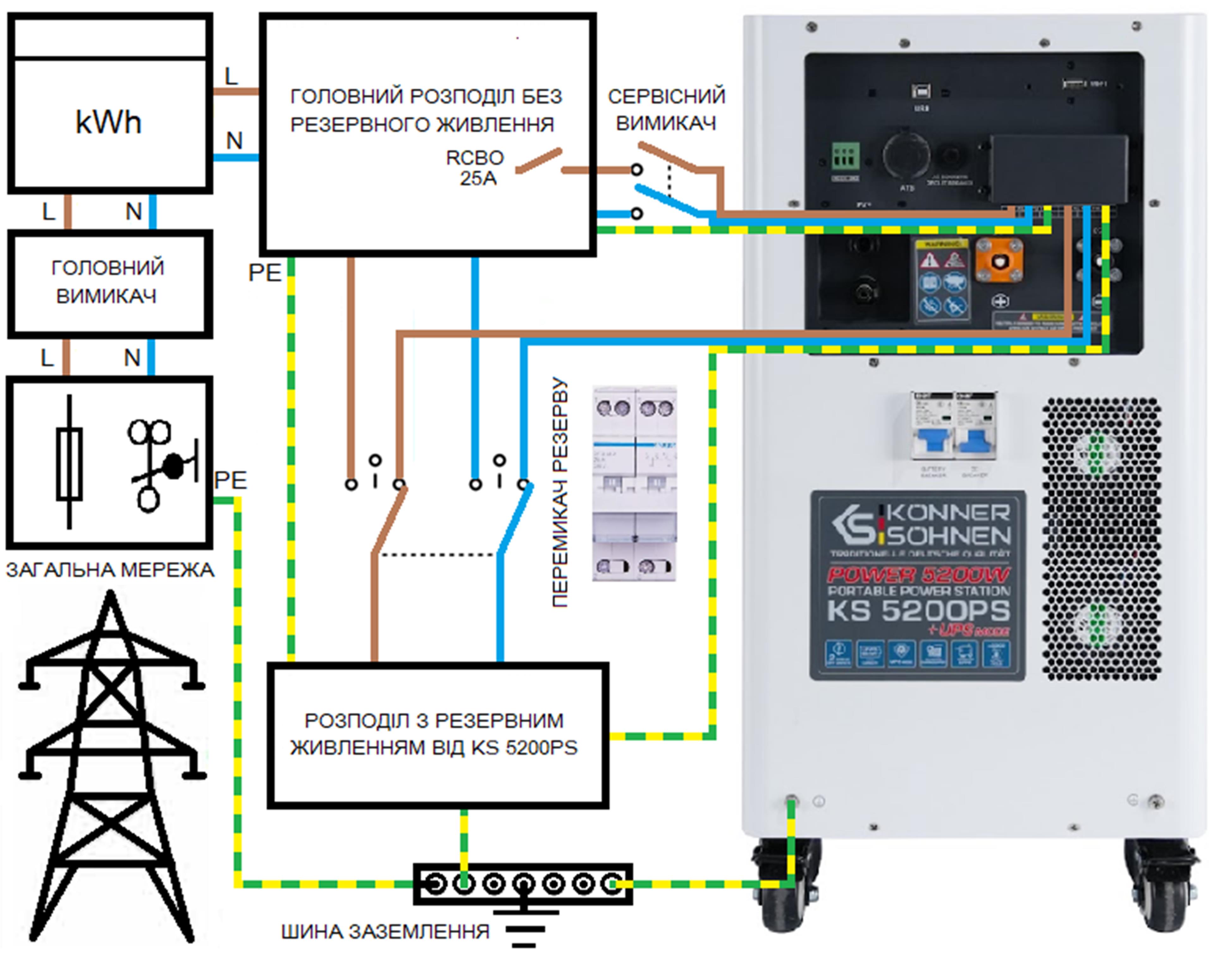
The KS 5200PS provides a 230 V emergency power distribution system:
If you want to use the KS 5200PS as a UPS (for example, in case of frequent power outages or in an office with computers, etc.), we recommend powering the distribution from the backup supply through the station in constant mode.
In the office, the station can be activated only during the day if needed. It is also possible toconnect the station through a voltage control relay for additional protection.
If you plan to use the KS 5200PS station only as a backup power source, we recommend charging it, turning off the main switch on the front panel, and disconnecting it from the external AC power source using the service switch, and keeping it charged until it is needed.
In case of necessity, the KS 5200PS station is turned on using the mainswitch on the front panel, after which the backup power distribution is switched to it. We also recommend turning on the service switch so that the power station automatically switches back to the main power source after it is restored and starts charging its battery.
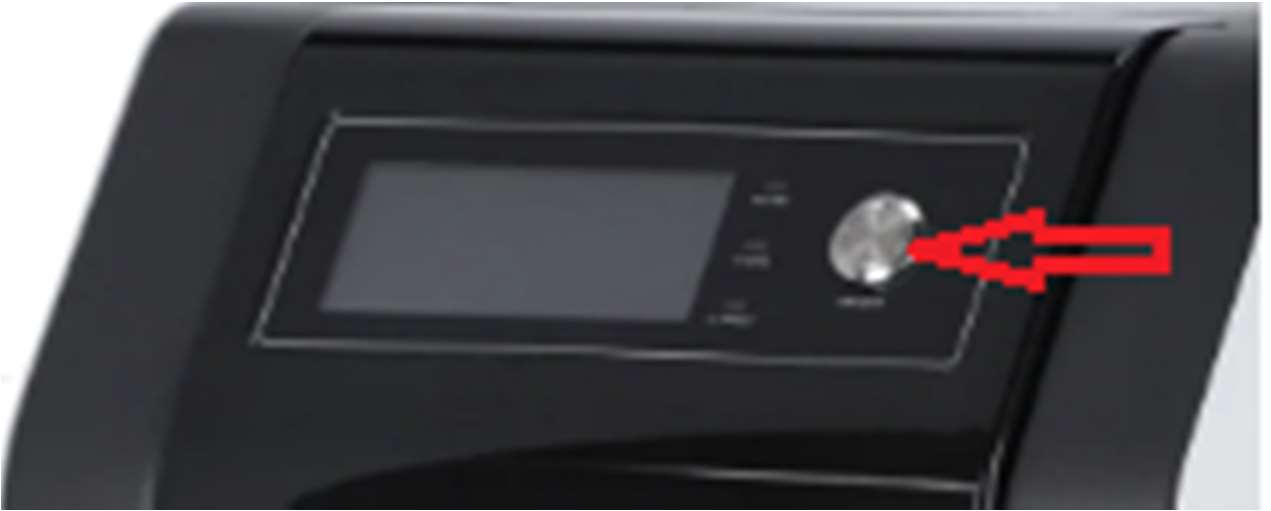
The inverter module and the AC source charging module of the station are activated by the mainswitch on the front panel (top right).
To turn off the station, first press the main switch, and then disconnect the AC power source (turn off the 2-pole service switch).
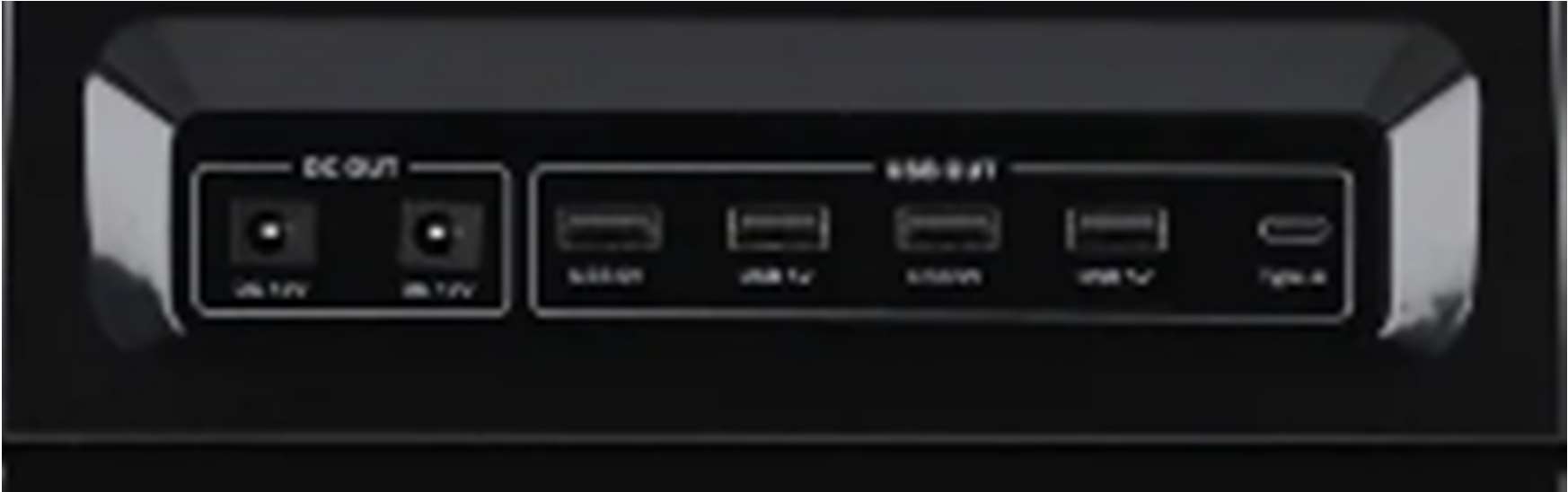
The DC outputs (12 V, USB, USB Type-C) on the front panel remain active as long as the battery switch on the back panel of the station is turned on.
Since the KS 5200PS is used in this variant without solar panels, we recommend changing the settings so that it can be charged from an external AC power source up to 100%.
Access to the settings of the KS 5200PS solar station is possible viathe SolarPowerMonitor software through an external computer.
Download the Solar Power Monitor software from the link provided by the manufacturer. After unpacking, you will find 4 files:
First, you need to install the first 2 files - these are the drivers required for communication via USB. Then install the SolarPowerMonitor program.The KS 5200PS connects to the USB port of the computer using the cable included in the package. The end of the cable with USB type A connects to the computer, while the end with USB type B connects to the USB port of the power station.
After launching, SolarPowerMonitor searches for connected stations.
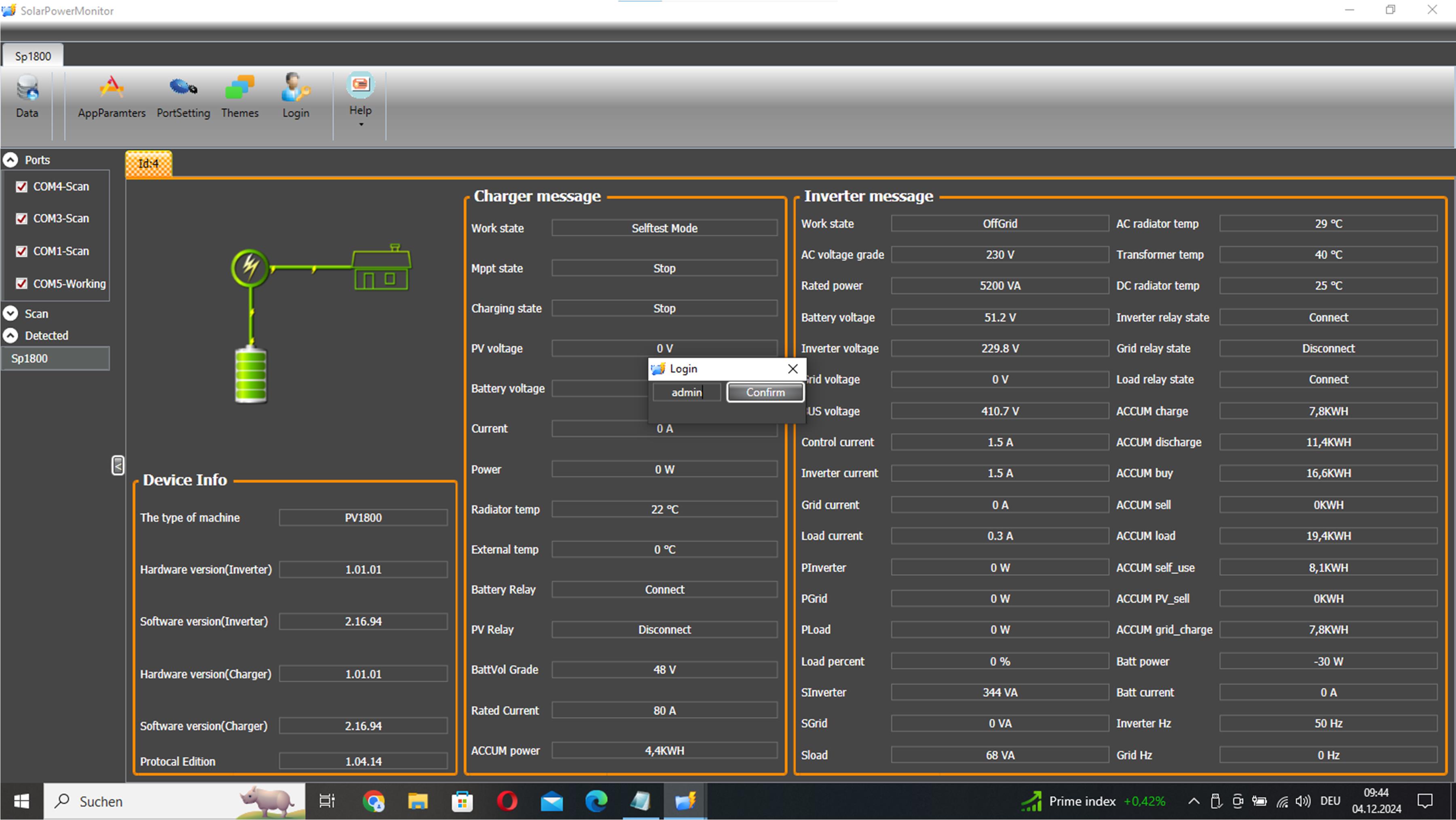
As soon as the KS 5200PS is found, a window appears with its current status.
To gain full access to the settings, you need to log in with the password“admin”:
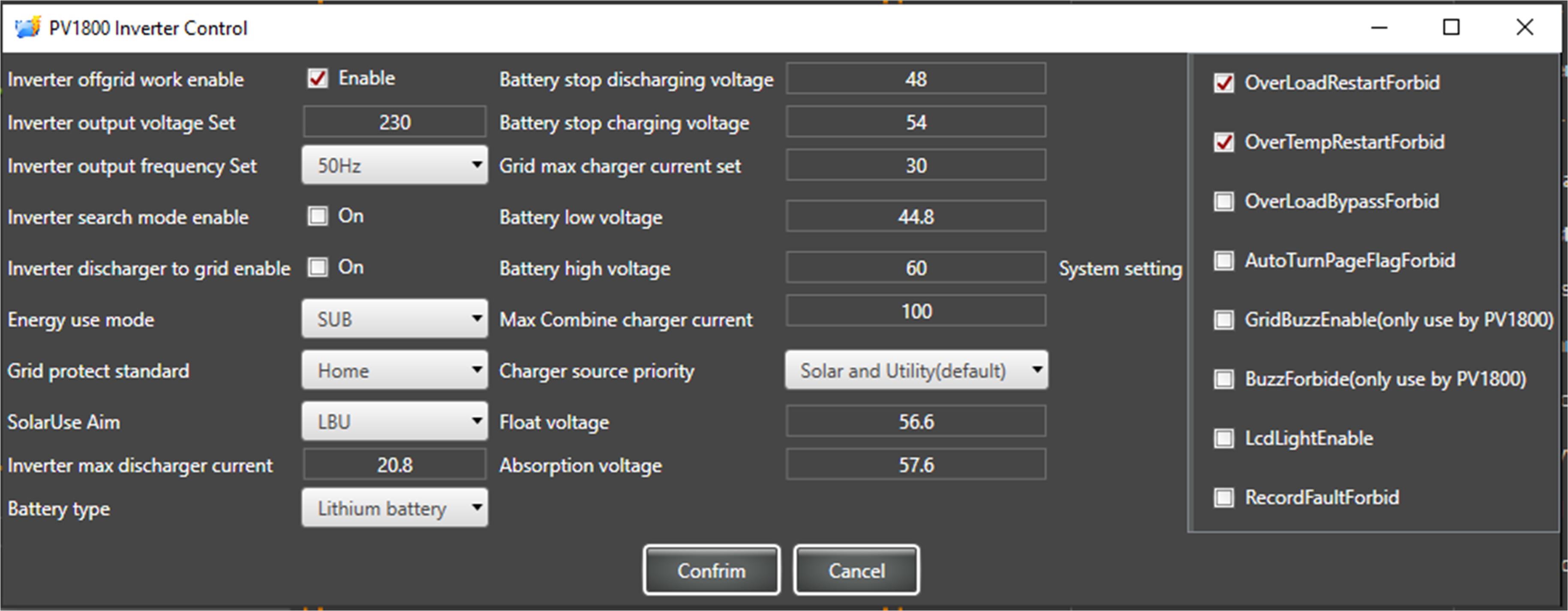
As soon as the KS 5200PS is found, a window appears with its current status. To gain full access to the settings, you need to log in with the password “admin”. Access to the inverter settings is now open:
Previous settings of the KS 5200PS:
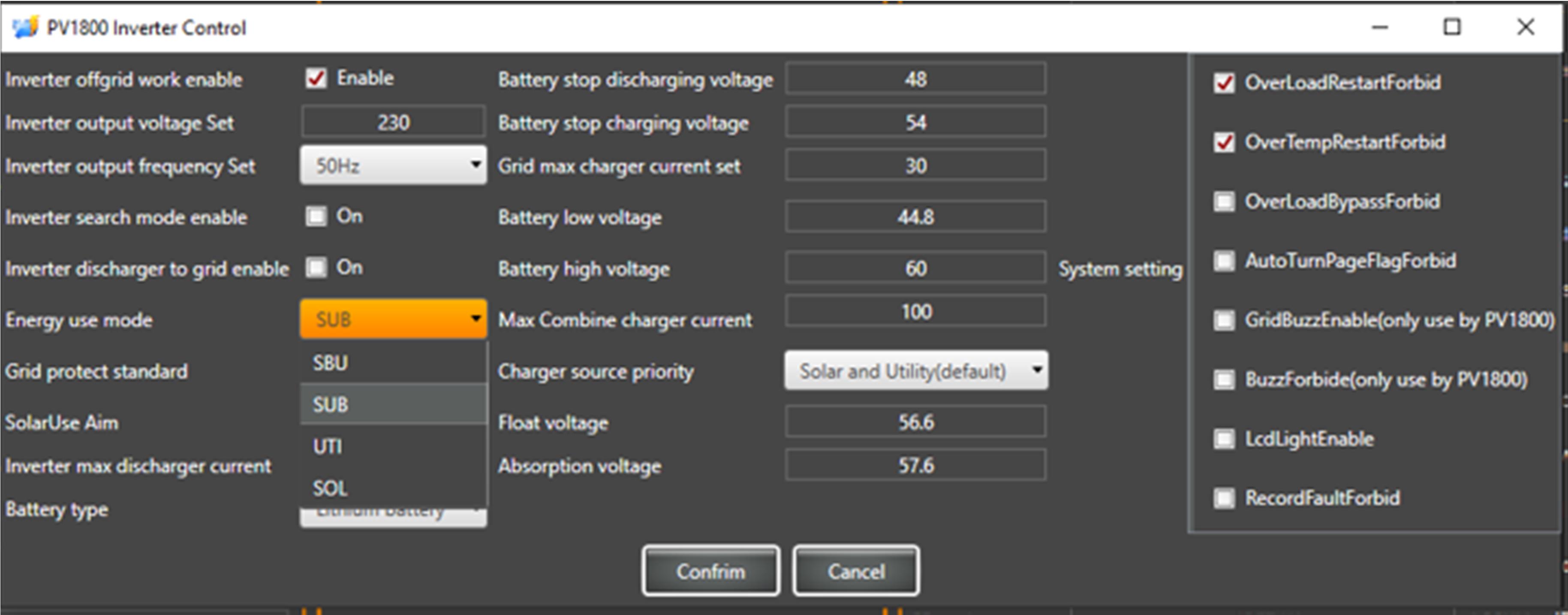
Pre-set operating mode SUB. In this mode, the internal battery of the power station is charged only from an external AC power source up to the "Battery stop charging voltage". This is approximately 60-80%, which is optimal for a longer battery life. In this mode, the battery can be charged to 100% only from solar energy. If you want the power station's battery to charge to 100% from the external grid, you need to change the operating mode to UTI.
The charging current "Grid max charger current set" for the station's battery from an externalAC power source is pre-set to 30 A (approximately 1600-1800 W charging power, full charge in about 3-4 hours), but it can be changed as needed.
Since in UTI mode the power station can be charged to 100%, during the closing of the BMS, a warning with a sound signal may occur. However, this happens quite rarely and only when you set a high charging current "Grid max charger current set". To turn off the sound signal, enable the option “BuzzForbide(only use by PV1800)”.
Note:The neutral of the AC output while operating from the battery is connected to the station's body to ensure power with a grounded neutral in the TN system. The KS 5200PS station must be connected to the grounding bus PE through the PE contacts on the AC input-output or through the grounding screw located at the bottom of the back panel.
DISCLAIMER:This informational material is intended to familiarize you with the features of Könner & Söhnen products and their application possibilities, and can only be considered as recommendations that must be adapted to the circumstances and conditions during installation.
The installation itself must be carried out in accordance with all applicable standards and regulations. We are not responsible for incorrect installations and their consequences.