![Post cover: HMS error: 0300-0d00-0002-0001 what does it mean and how to fix it? [P1S]](https://cdn.tseivo.com/0wi0y60gycmr9yktq6uss8vyao12)
This content has been automatically translated from Ukrainian.
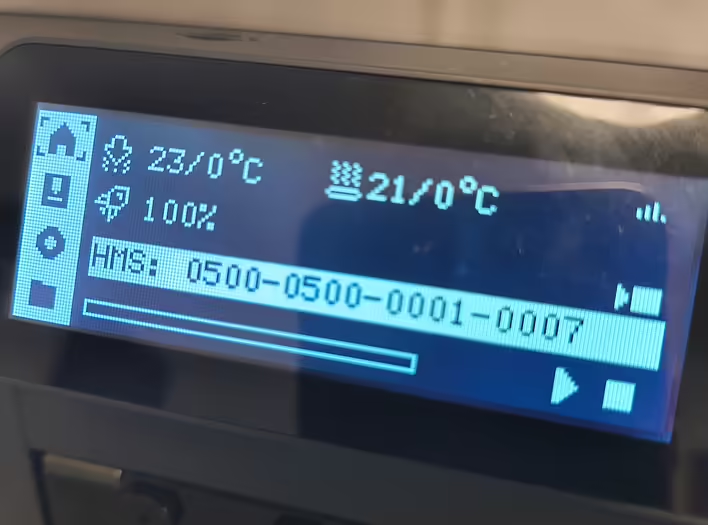
I saw the HMS error: 0300-0d00-0002-0001 on my P1S.
This code means: Heatbed homing abnormal – an anomaly during the homing of the heated platform. In simple terms, the printer cannot correctly determine the zero point on the Z-axis, which prevents the print from starting.
What is homing?
Homing is the process during which a 3D printer determines the initial coordinates (zero points) of all axes. When you press Home, the head and platform move to the stops or sensors so that the controller knows exactly where they are.
For the Z axis, homing is especially important, as the distance between the nozzle and the bed determines the quality of the first layer. If the nozzle is too high – the plastic does not stick, if too low – the surface or the nozzle itself may get damaged.
Why does the HMS: 0300-0D00-0002-0001 error occur?
There are several main reasons:
- Dirty nozzle - plastic residue prevents the sensor from properly detecting the surface.
- Unevenness or bulging on the platform - the build plate may be damaged or deformed.
- Incorrectly installed platform - even a slight tilt can cause a failure.
- Mechanical obstacles - debris or faulty bearings on the Z-axis guides.
- Firmware or calibration errors - less common, but can occur after an update.
How to fix the situation
- Turn off the printer completely (better to unplug the power cable for a minute) and turn it back on.
- Check the nozzle - clean it from plastic residue, perform a cold-pull or gently wipe it.
- Remove the build plate - make sure it is flat, without bulges or damage.
- Reinstall the platform so that it fits snugly in place without tilting.
- Run Self-test in the printer menu - it will show whether the zero detection system is working correctly.
The error HMS: 0300-0D00-0002-0001 on Bambu Lab P1S means that the printer cannot correctly find the position (home) on the Z-axis. Most often, the problem is solved simply: cleaning the nozzle and reinstalling the platform.
In my case, it was necessary to remove a piece of plastic that was on the nozzle. My nozzle gets dirty in cases when the plastic runs out during printing. I want to find a custom G-code that would add nozzle cleaning before resuming printing.
Like it?React
🧵
This post doesn't have any additions from the author yet.
![[Fixed] Error 0300-8010 2003191 and 0300-0300-0001-0001 on P1S](https://cdn.tseivo.com/8doj09ufk2fmqvytnih0al9dypgf)
![[PrintArmy] The first 50kg of printed products for the military](https://cdn.tseivo.com/ud1y2vcjnjrg51pw18ljubptwmgd)
![[P1S] Message on the screen - Z-axis lead screw needs lubrication](https://cdn.tseivo.com/n2484aszggdtb76vwovcelpt4vag)
![[Bambu P1S] Electricity consumption for ~15 hours of printing](https://cdn.tseivo.com/1gmes1a8hnxxq1fi2xzihjbf31zn)