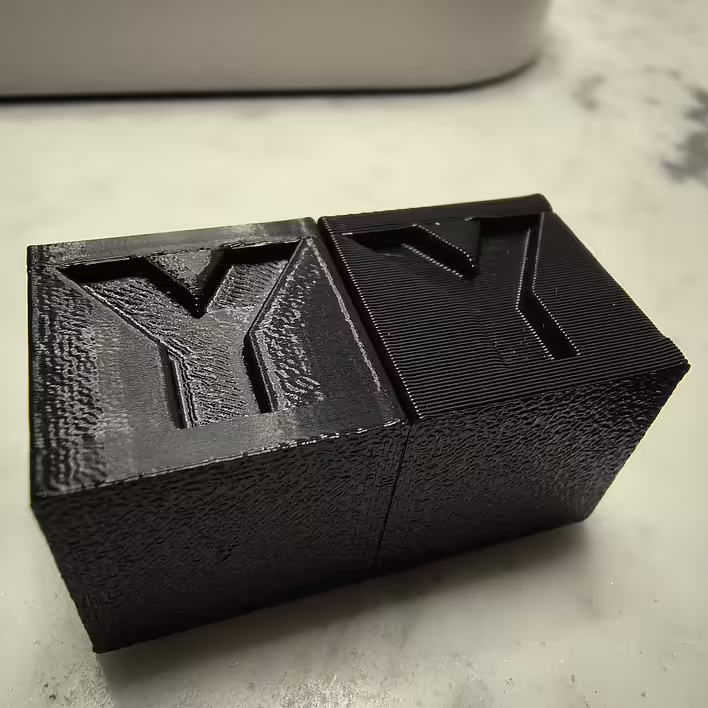
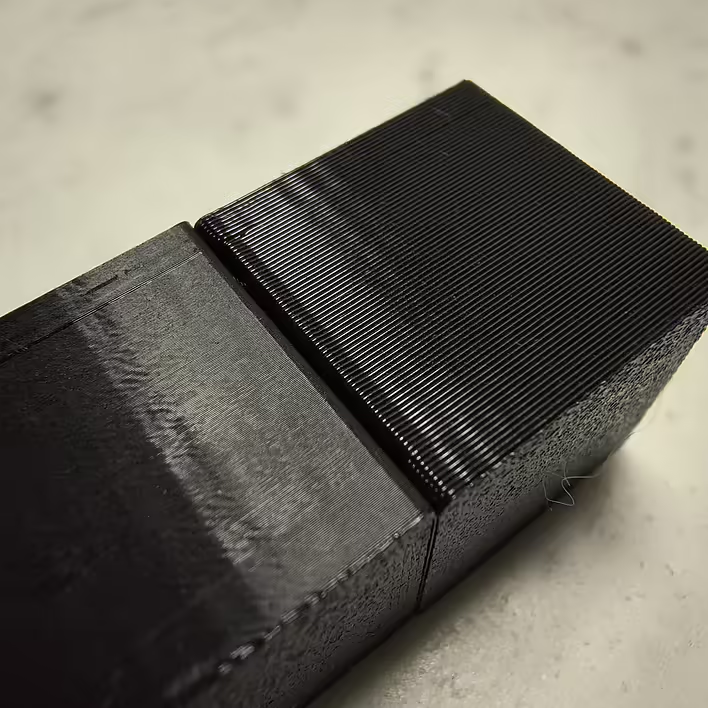
0.08 mm - extremely detailed, perfectly smooth, almost no visible layers. Takes longer to print.
0.28 mm - rougher appearance, layers are clearly visible, but printed much faster
Why exactly 0.08 and 0.28?
Both values are chosen not randomly. They depend on the nozzle diameter (I have a 0.4mm nozzle).
Calculation of layer height:
Minimum layer height ≈ 20% of the nozzle diameter 0.4 mm × 0.20 = 0.08 mm
Maximum layer height ≈ 70% of the nozzle diameter 0.4 mm × 0.7 = 0.28 mm (more - risk of poor layer adhesion)
Here is a quote from the official Bamboo documentation:
The difference in layer 0.28/0.08 = 3.5 times (theoretically. see actual time below). But this is not the whole calculation. During printing, the printer performs many actions. Movement, cooling, acceleration, etc. So to see the actual time:
add the required model to the slicer
change the layer height
slice the model
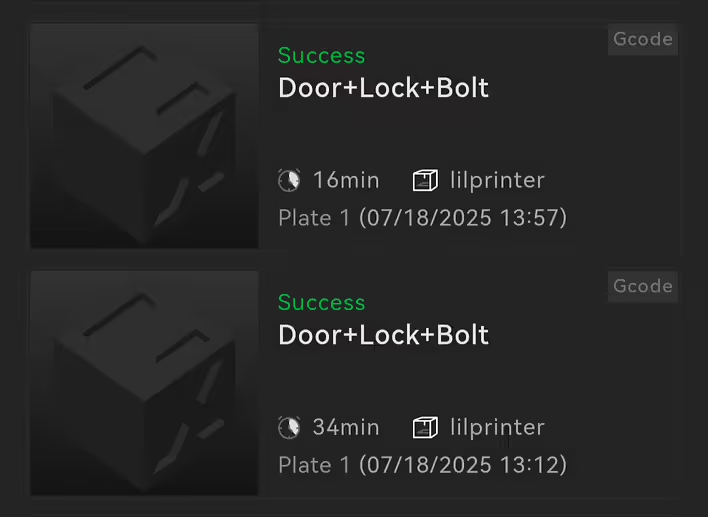
And only then can you see the actual time. Of course, the smaller the layer, the longer it takes to print. With cubes, for example, the situation is as follows:
16хв (0.28мм) та 34хв (0.08мм)
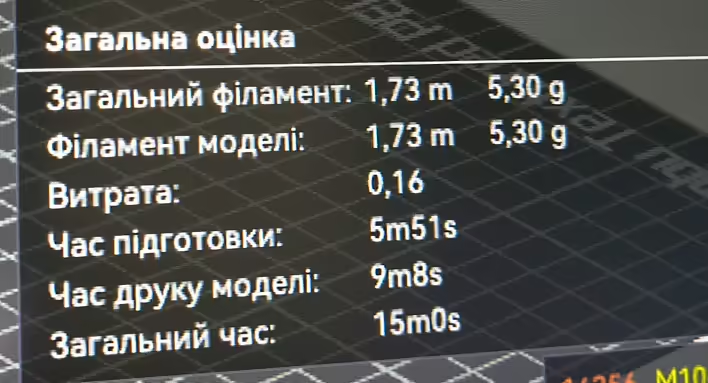
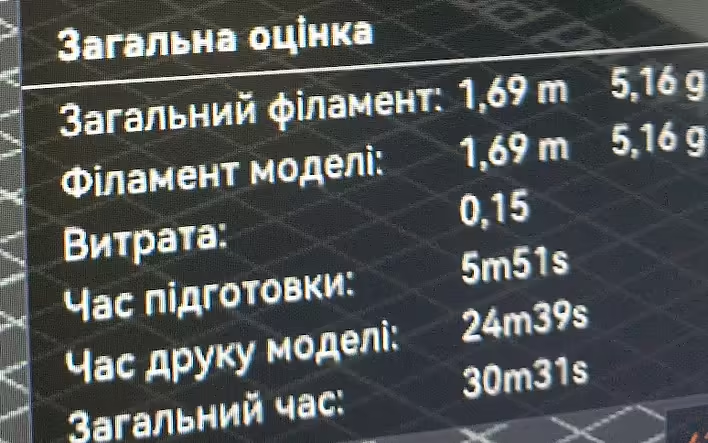
5min 51s of this time is for preparation. The actual printing time:
9хв 8с
24хв 39с
And if we calculate:
Printing at 0.08 mm - 24 min 39 s = 1479 seconds
Printing at 0.28 mm - 9 min 8 s = 548 seconds
Calculation:
1479 / 548 ≈ 2.7
That is, printing with a layer height of 0.28 mm was approximately 2.7 times faster than with 0.08 mm.
Theoretically: 0.28 / 0.08 = 3.5 times fewer layers
Practically: only 2.7 times faster
But this is specifically for the cube model (by the way infill 15%).
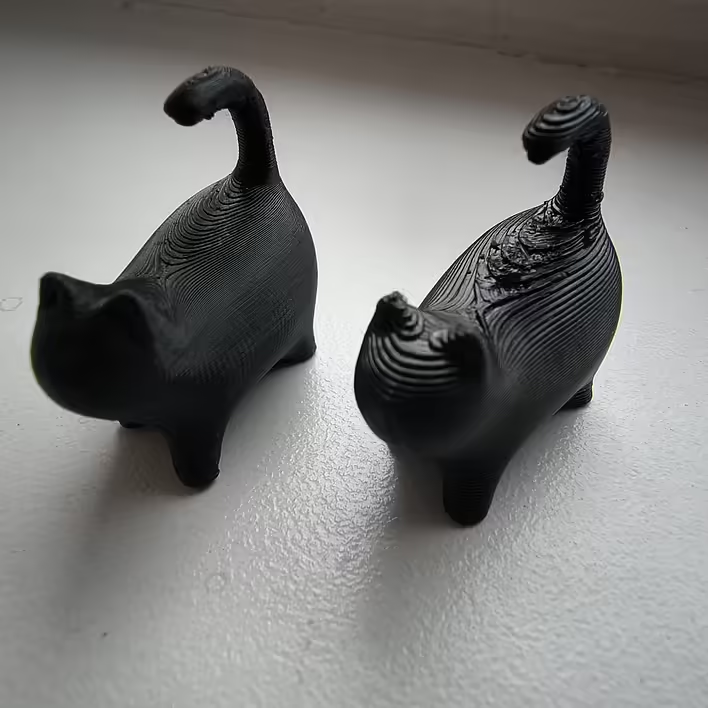
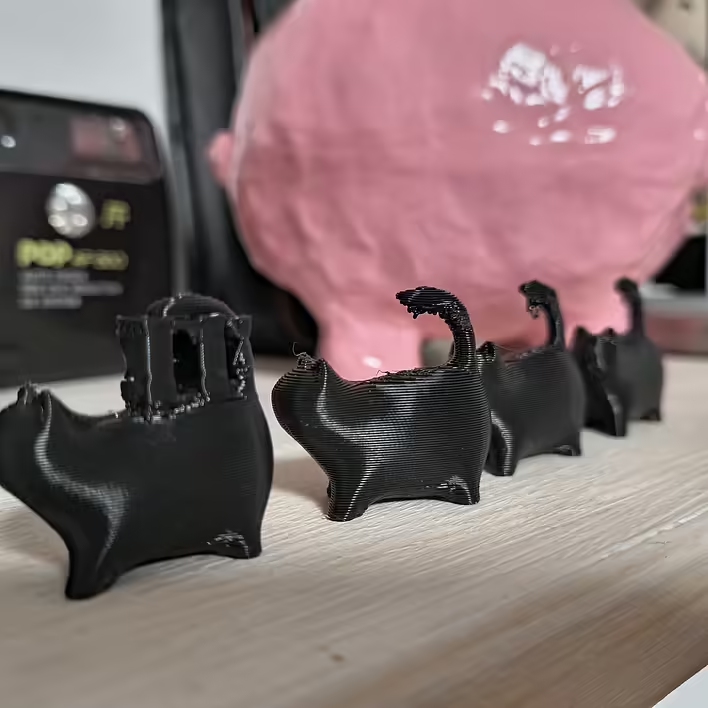
Here is a photo of a cat model printed at 0.08mm and 0.28mm. Because the cube is not that interesting.
кіт 0.08мм та 0.28мм
I am printing cats for another post. So they accidentally ended up here.

![[What to print] Tube squeezer](https://cdn.tseivo.com/1n2nj9awamp0cal358blvpihswju)
![[P1S] Message on the screen - Z-axis lead screw needs lubrication](https://cdn.tseivo.com/n2484aszggdtb76vwovcelpt4vag)
![[PrintArmy] The first 50kg of printed products for the military](https://cdn.tseivo.com/ud1y2vcjnjrg51pw18ljubptwmgd)
![HMS error: 0300-0d00-0002-0001 what does it mean and how to fix it? [P1S]](https://cdn.tseivo.com/0wi0y60gycmr9yktq6uss8vyao12)