This content has been automatically translated from Ukrainian.
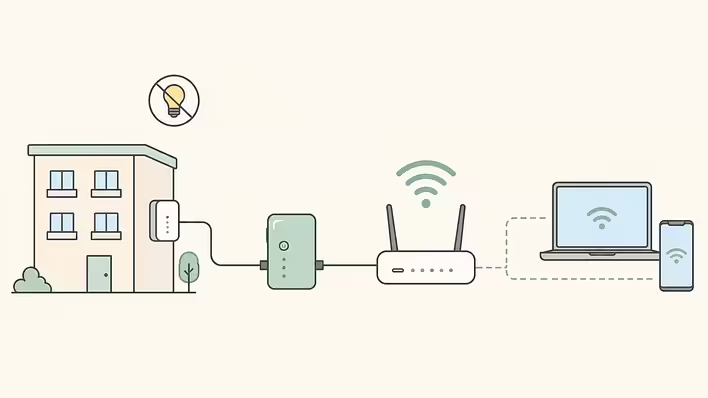
Power bank for the router does not guarantee that the internet will remain after the power goes out at home. For a stable connection, two parts of the network must work simultaneously: the operator's infrastructure, which delivers the signal to the house and apartment, and the equipment inside the premises. Therefore, preparation for outages should start not with buying a battery, but with checking the capabilities of a specific provider. One example of such a comprehensive approach can be seen at https://www.ittv.ua/ua/: ITTV uses the PowerLake backup power system to maintain communication during blackouts, and offers separate kits with power banks and adapters for the home part of the network.
This example clearly illustrates the main principle of autonomous home internet: it is not enough to power just one device. It is important to trace the entire path of the signal — from the network node in the house to the Wi-Fi in the apartment — and understand which link may turn off along with the power.
First, find out if the network itself has a backup
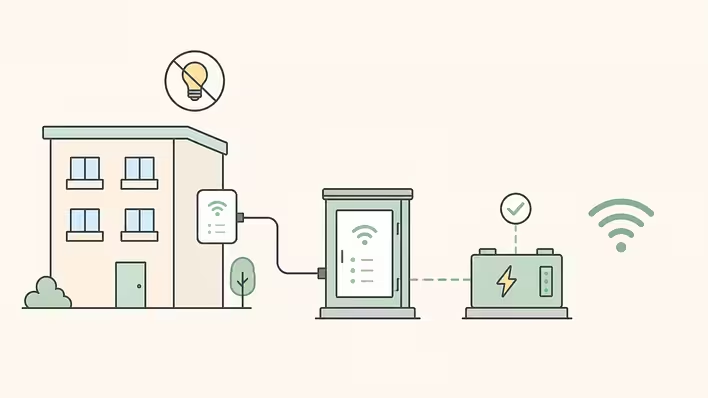
In multi-storey buildings, the internet often passes through active network nodes installed outside the apartment. If they also turn off during a power outage, a charged router will not save the situation: the signal simply will not reach it.
Therefore, one of the first questions to the operator is whether the network is backed up at your address and how long it can remain operational without external power supply.
ITTV uses the PowerLake technology for this. According to the company, the system supports the operation of building switches for at least 12 hours after a power outage. It uses LiFePO4 batteries, which, according to the provider, take about two hours to fully charge. In cyclical schedules, this is practically significant: the batteries must be able to replenish the energy reserve during relatively short periods with power.
Another feature of PowerLake is the ability to use the already laid twisted pair UTP to the apartment. In buildings where this technology is available, it is not necessary to lay a separate optical line just for autonomy.
However, the availability of the solution depends on the specific address, so it is worth clarifying this before connecting.
Next, you need to power the equipment in the apartment
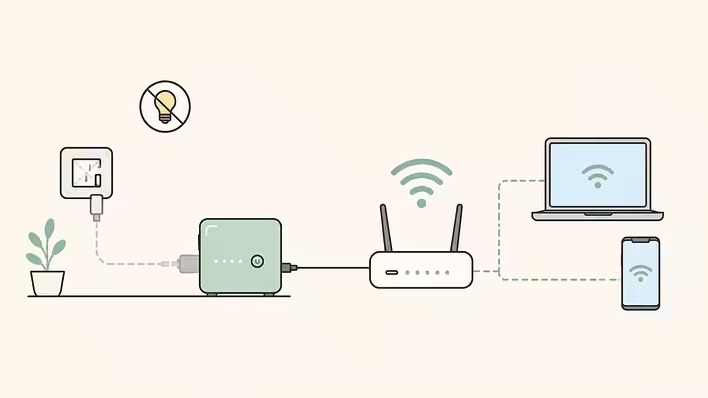
Even if the operator's network continues to transmit data, a regular Wi-Fi router will turn off after the voltage goes out at the socket. Therefore, the next step is to provide it with its own power source.
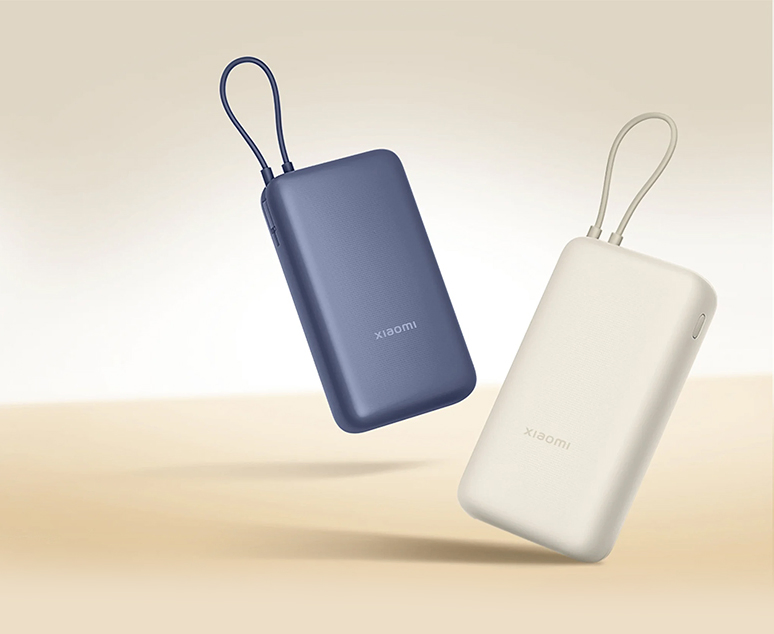
For Ethernet connections, one of the simplest options is a power bank paired with a suitable DC adapter. This principle is used in the Ethernet Power Set from ITTV: the kit includes a 20,000 mAh power bank, a 33W GaN charger, and a trigger cable for the router. Separate adapters for 9V and 12V are available.
Voltage is fundamentally important here. You should not buy the first cable with a suitably sized plug and connect it to the device. First, you need to check the specifications of the router's standard power supply: if the model is designed for 12V, the source must provide exactly the required voltage. You should also check the polarity of the plug and sufficient current strength.
What changes with optical connection
If the cable enters the apartment via fiber optics, the scheme often includes an additional device — ONU/ONT, media converter, or another terminal that converts the optical signal to Ethernet. And it also requires power.
Here, a simple rule applies: all active devices on the path between the operator's line and the home network must be backed up.
With a regular Ethernet connection, it is sometimes enough to support just the router. In an optical scheme, an autonomous source may be needed for two devices at once.
For such a scenario, ITTV has a separate Optic kit designed for connection with a media converter. It includes a power bank, a charging block, and the necessary DC adapters.
Therefore, before purchasing any backup source, it is useful to first look at where the operator's cable comes in and through which devices the signal passes before reaching the router.
Power bank, mini-UPS, or charging station
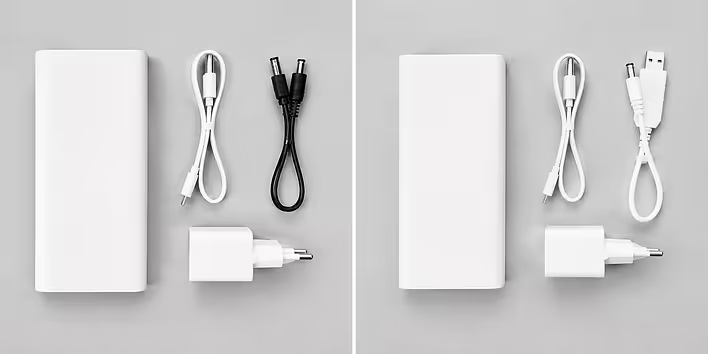
For one router, a large portable power station is usually not needed. Network equipment has relatively low consumption, so the task can often be solved with more compact means.
Power bank with DC trigger is a simple option if you need to support one or two devices and the user is okay with manual connection. This is the scheme ITTV uses in its Ethernet and Optic kits.
Mini-UPS is more convenient for continuous operation. It connects between the socket and the router: under normal power supply, it charges the battery and supplies voltage to the equipment, and after a power outage, it automatically switches to battery. In such a system, there is no need to manually switch cables each time.
Charging station makes sense if the backup needs to support not only the network but also a laptop, lighting, monitor, or other home appliances simultaneously. It is usually unnecessary to buy it exclusively for Wi-Fi.
Why the numbers on the power bank do not show the exact autonomy time
The inscription "20,000 mAh" does not answer the question of how many hours a specific router will last. The actual result depends on the voltage of the battery cells, the device's consumption, the operation of converters, and energy losses.
Therefore, it is not advisable to rely solely on the capacity in mAh. A more reliable way is to test the ready system at home: charge the battery, disconnect it from the network, and check how long the connection will actually remain available.
For regular outages, the charging speed is equally important. A large battery will be of little help if it can only restore a small part of the charge in a short period with power. That is why ITTV equips its kits with a 33W GaN block, and quick replenishment of batteries is one of the advantages of the PowerLake system.
What to check before the first blackout
It is best to start with the address: find out if the operator's infrastructure in your building has a backup and for how long it is designed. Then determine the type of connection and count all the devices in the apartment without which the connection will not work.
The next step is to check their voltage, connectors, and consumption, and choose a power bank, mini-UPS, or other source based on these parameters.
After assembling the system, it is worth testing it in advance. It is enough to disconnect the network equipment from the socket and ensure that the transition to backup occurs normally, the internet does not disappear, and the battery reserve lasts at least for the typical period without electricity in your area.
In ITTV's scheme, part of this task is handled by the operator: PowerLake supports building network nodes where the system is already installed, and a separate power supply kit can be selected for the apartment for Ethernet or optical connection. The same logic applies to any other provider: home internet will remain available during an outage only when there is a backup along the entire critical route — from the network outside the apartment to the router on your shelf.
Like it?React
🧵
This post doesn't have any additions from the author yet.