This content has been automatically translated from Ukrainian.
.gitignore is a file used in the Git version control system to specify files and directories that should be ignored by Git. This means that the files and directories listed in .gitignore will not be added to the Git index, will not be tracked, and will not be included in commits.
Why is .gitignore needed?
The .gitignore file helps avoid including files in the repository that are not related to the code or should not be publicly accessible. These can include:
- Development environment configuration files.
- Log files.
- Generated files (e.g., compilation results).
- Temporary files (cache, temporary files).
- Sensitive data (e.g., passwords or access keys).
Example of using .gitignore
Creating a .gitignore file:
In the root directory of your repository, create a file named .gitignore.
Adding files and directories to .gitignore:
Add patterns for files and directories that should be ignored to the .gitignore file. For example:
# Ignore all .DS_Store files
.DS_Store

# Ignore log files
*.log

# Ignore all files in the temp/ directory
temp/

# Ignore IDE configuration files
.idea/
*.iml
Applying .gitignore:
After adding entries to .gitignore, make sure that these files have not already been added to the index. If they have already been added, remove them from the index using the command git rm --cached <filename> and make a commit.
How does .gitignore work?
- Each line in .gitignore represents a pattern for files that should be ignored.
- Patterns can be simple file names or contain wildcard characters for greater flexibility.
- Comments can be added using the # symbol.
- .gitignore can be located in any directory of the repository, and its effect will be limited to that directory and its subdirectories. This is relevant, sometimes it is very convenient.
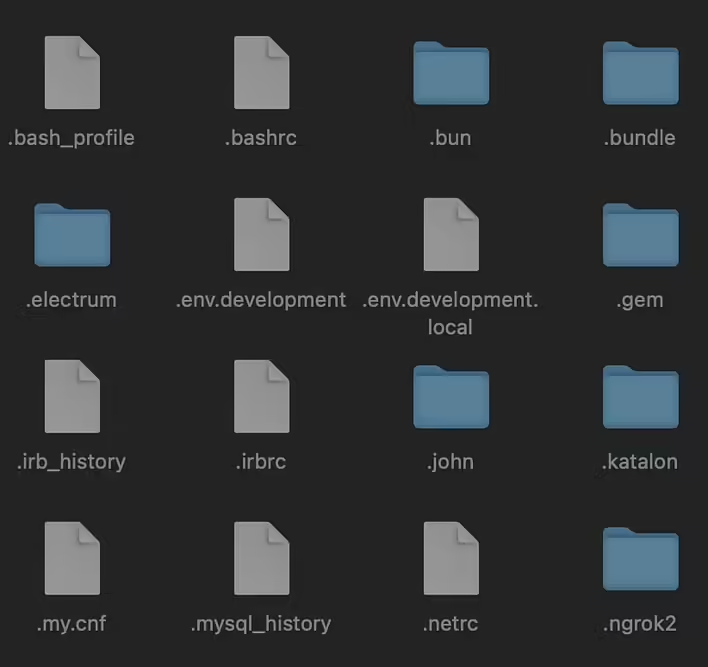
By the way, you will not see the .gitignore file in Finder (only in the code editor or in the terminal by executing ls -a). Read in the previous post for more details about hidden files (with a dot at the beginning).
Example of a .gitignore file for a Ruby on Rails project
# Ignore bundler config
/.bundle

# Ignore the default SQLite database
/db/*.sqlite3
/db/*.sqlite3-journal
/db/*.sqlite3-shm
/db/*.sqlite3-wal

# Ignore the default PostgreSQL and MySQL database files
/db/*.pg
/db/*.pg-journal
/db/*.mysql
/db/*.mysql-journal

# Ignore all logfiles and tempfiles
/log/*
/tmp/*
!/log/.keep
!/tmp/.keep

# Ignore uploaded files in development
/storage/*
!/storage/.keep

# Ignore application secret key
/config/master.key

# Ignore pidfiles, tempfiles, and byebug command history
/tmp
/tmp/pids
/tmp/cache
/tmp/sockets
/.byebug_history

# Ignore dotenv environment variable files
.env
.env.*

# Ignore node_modules
/node_modules
/yarn-error.log

# Ignore precompiled assets
/public/assets
/public/packs
/public/packs-test
/public/packs-dev

# Ignore compiled files
/public/assets
/public/packs
/public/packs-test
/public/packs-dev
/public/packs/css
/public/packs/js
/public/packs/images

# Ignore coverage results generated by SimpleCov
/coverage/

# Ignore minitest and rspec result files
/test/tmp
/test/version_cache
/spec/tmp
/spec/fixtures/files
/spec/examples.txt

# Ignore rubocop cache
/.rubocop-https*
/.rubocop_cache

# Ignore Capybara screenshots
/tmp/capybara/

# Ignore Redis stores
/tmp/redis/

# Ignore .DS_Store
.DS_Store

# Ignore backups
/backup/

# Ignore ActiveStorage uploaded files in development
/storage/*
!/storage/.keep
Usually, the .gitignore file is filled with additional entries during the implementation of new project functionality. For example, a new library creates temporary cache files on the local machine - so we add them (or the folder) to the ignore list. Before committing, you will see unnecessary files and easily identify what needs to be added to .gitignore.
Like it?React
🧵
This post doesn't have any additions from the author yet.