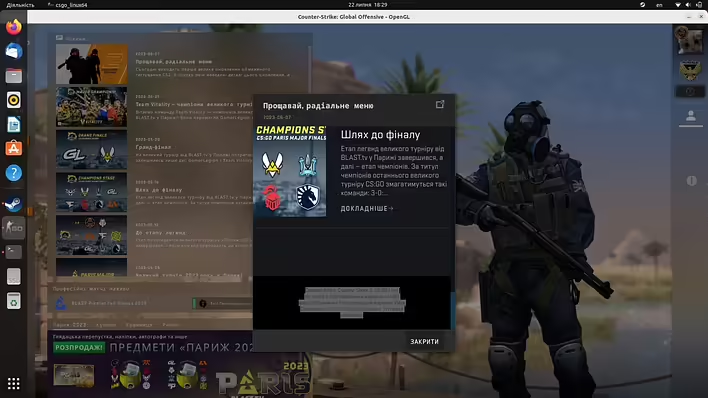
After installing and launching the game Counter-Strike:GO, the Ubuntu interface overlaps the Counter-Strike window, making it somewhat inconvenient to change any settings within the game. So you need to exit the game and configure the launch mode of Counter-Strike from the Steam menu.
CS:GO перший запуск в Ubuntu
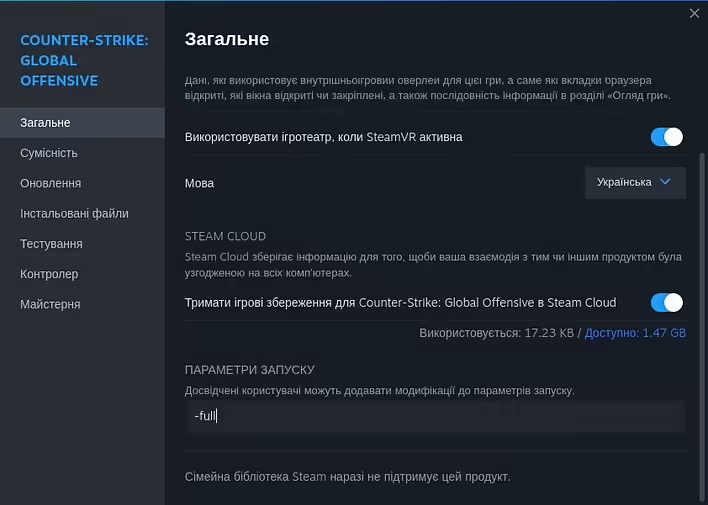
To make Counter-Strike: Global Offensive (CS:GO) launch in fullscreen mode in Ubuntu, follow these steps:
1. Open your Steam library.
2. Find the game "Counter-Strike: Global Offensive" in the list of games.
3. Right-click on the game title and select "Properties..." or "Властивості...".
4. In the properties window, go to "GENERAL" or "Загальне".
5. Find the field "Set launch options..." or "Параметри запуску...".
6. Enter `-fullscreen` there and click OK.
Параметри запуску CS:GO
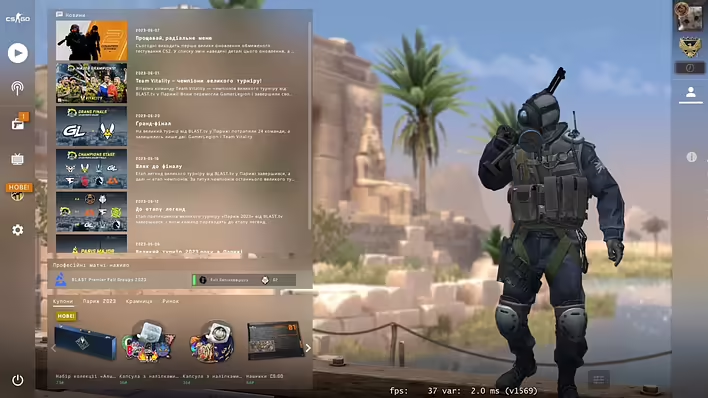
After this, when you launch the game, it should open in fullscreen mode. If it doesn’t work, the reason may lie in specific game or system settings.
CS:GO на весь екран
Adding the '-fullscreen' setting worked in my case. The next launch of the game was in fullscreen.