Steam is a digital platform for video games developed by Valve. It allows users to purchase, download, update, and play games. Additionally, Steam has extra features such as built-in communication between users, the ability to create and share game content, and much more.
Regarding changing the interface language, it can be important for several reasons. For most people, it is more comfortable to use software in their native language. This helps to understand all menus and functions. Some people also use Ukrainian in program interfaces to learn and practice the language.
How to change the language in Steam to Ukrainian?
Launch the Steam client and log into your account.
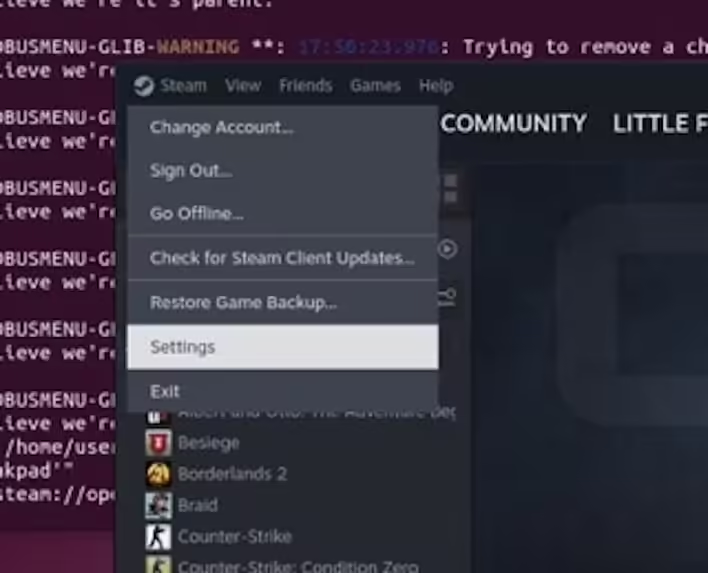
Click on "Steam" in the top left corner of the client window.
Select "Settings" from the dropdown menu.
Settings (Steam
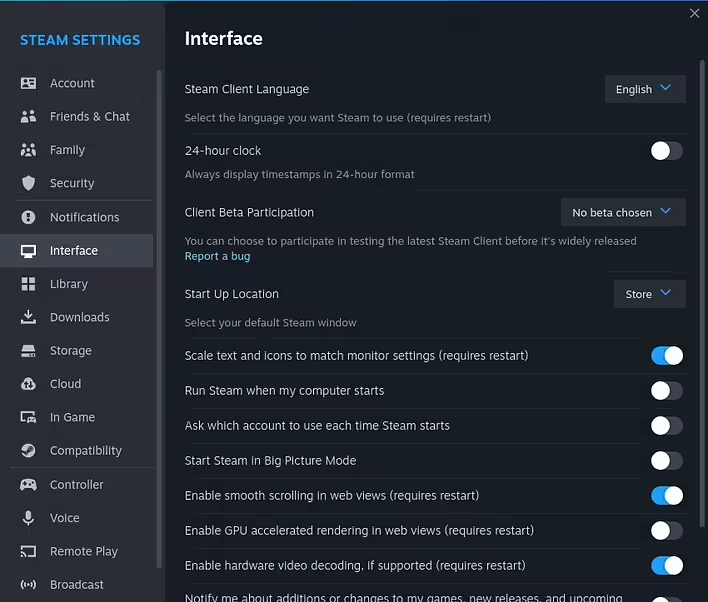
In the settings window, go to the "Interface" tab.
Interface (Steam)
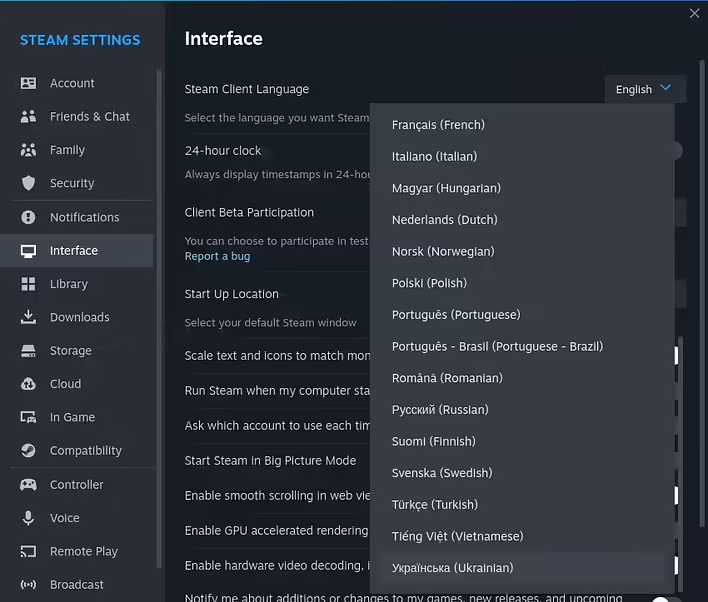
Here you will find the section "Steam Client Language" / "Select the language you wish Steam to use (requires Steam to restart)".
Click on the menu and select the Ukrainian language.
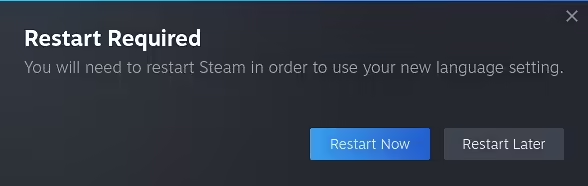
Click "OK" and restart Steam to apply the changes.
Restart (Steam)
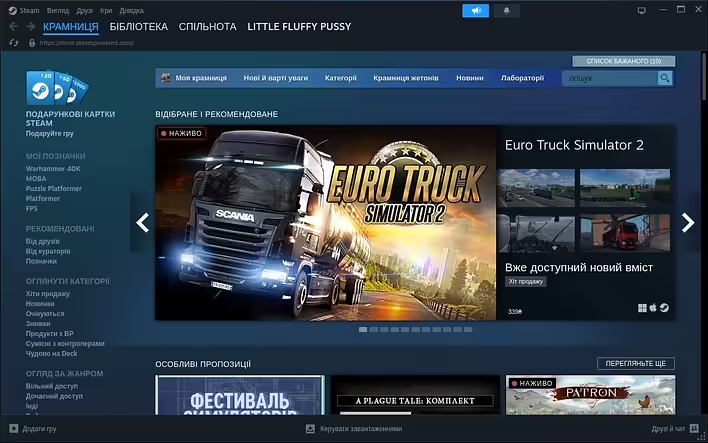
After restarting, the Steam interface language will be in Ukrainian.
Steam Interface українською
Remember that not all games support the Ukrainian language. You can check language support in the "Languages" section on the store page of a specific game.