I am adding content to the site using the Trix editor. A Bucket (Amazon S3) is used as the server for storing images. A situation arose where all images were deleted from the blog post. Amazon is quite smart and does not delete everything at once and forever (permanent delete). So I found a way to recover deleted images.
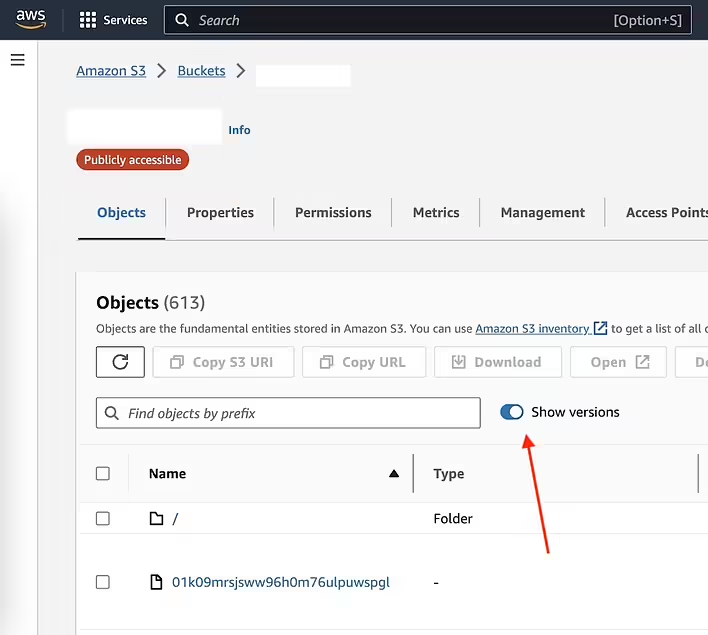
#1 Step. Go to the Bucket and show all file versions.
Go to Amazon > Buckets > Your bucket. Then click on the Show versions toggle. After that, you will see the file versions.
Amazon > Buckets > Ваш bucket (Show Versions)
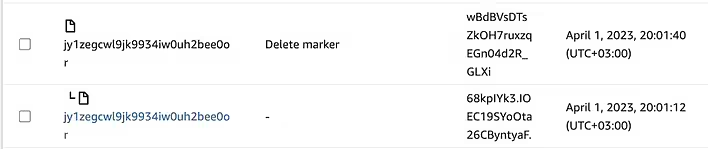
#2 Step. Find the deleted file marker.
You can use the browser's page search (CMD+F on Mac). Search for the text 'Delete Marker'
Delete Marker на Amazon s3
As you can see - the first file is the Delete marker, and below it (there is even a hierarchy icon) is the actual file. That is, Amazon creates such marker files and attaches them to the real files that will be deleted later (I don't know after how many days the file will be permanently deleted; I restored all files after two days when I noticed the problem).
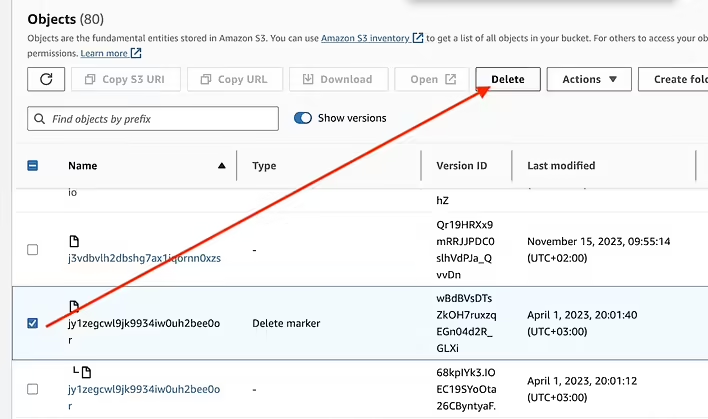
#3 Step. Delete the Delete marker.
It's simple, we need to delete the Delete marker, then the file will return to its place. But be careful - do not select the actual file.
Видиляємо delete marker
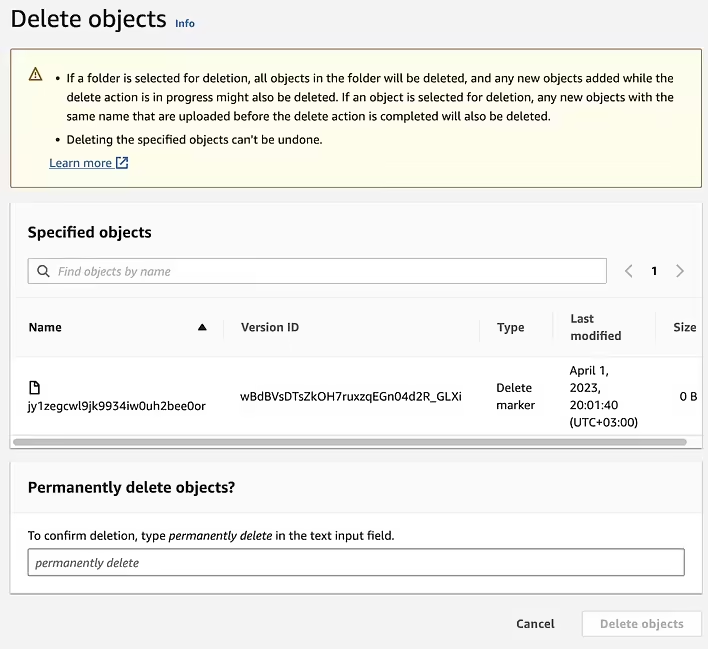
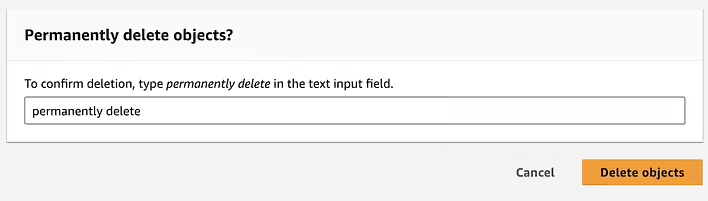
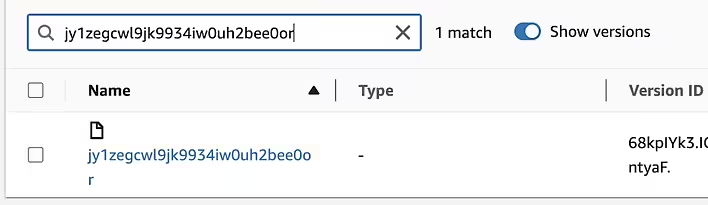
After clicking on Delete - we will see a separate page where we need to confirm the deletion by typing the phrase 'permanently delete' as confirmation of the intention to delete the file forever. Copy the file name somewhere, as we will be looking for it later to ensure that everything was done correctly.
Підтвердження - permanently delete
The Delete objects button is activated only when you type 'permanently delete'.
Активна Delete Objects
After confirmation, there will be a confirmation message.
Successfully deleted objects
To check for the file's presence - we will enter its name in the search, and we will see that it exists, and the Delete marker has disappeared. The links to this file will work again.