Like any software, it should be downloaded from official websites. No one knows which site is official. So people click on the first results in the search engine output. Be careful, sometimes malicious actors buy ads that appear before regular search results. This doesn't happen often, but search engine moderators do not always respond quickly to such cases.
So always check where you want to download the software from. It's better to verify the website address from other sources (for example, Wikipedia).
The current official website of Ubuntu is ubuntu.com
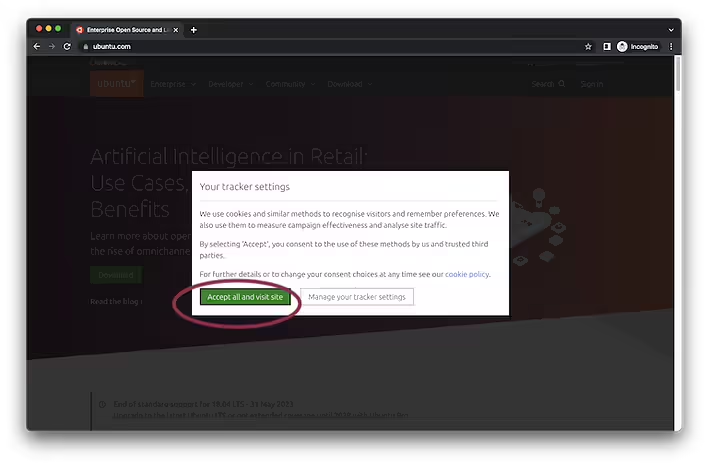
To download the latest release of the distribution, go to the official site.Close (agree to the cookie usage terms) the large window.
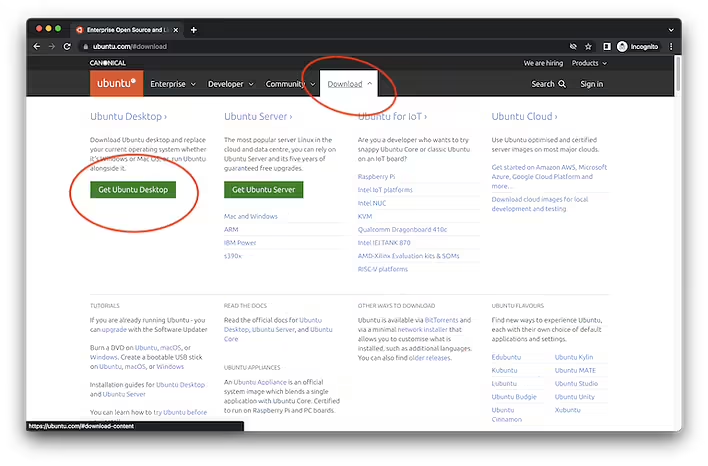
Click 'Downloads' on the navigation bar. When the large menu appears, select 'Get Ubuntu Desktop'.
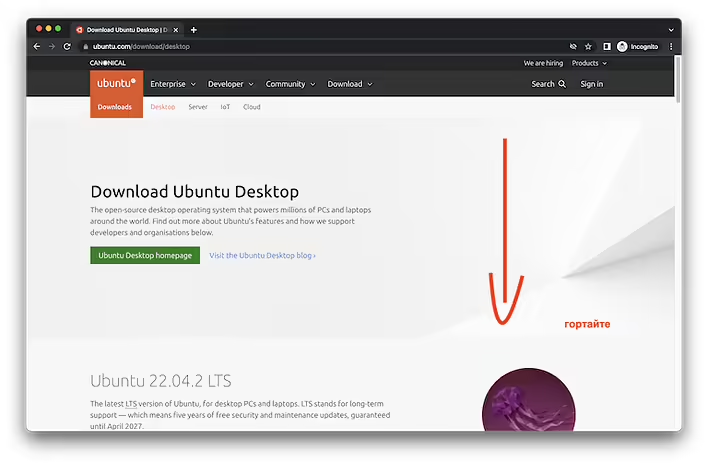
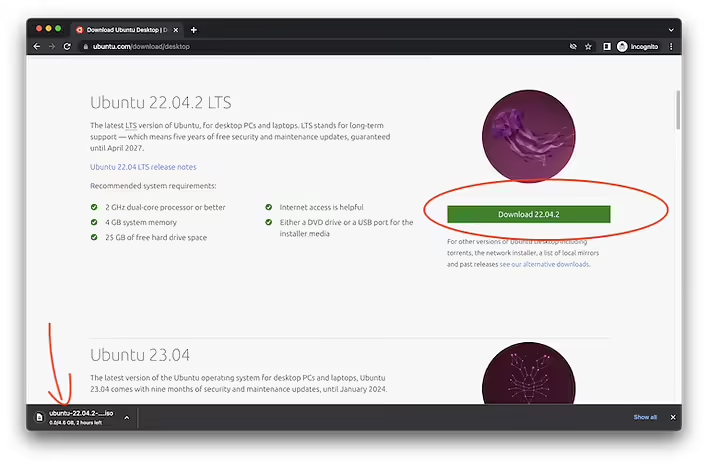
On the Ubuntu Desktop page, scroll down a bit and look for the 'Download' button + current version (currently 22.04.2).
The button / link to download UbuntuAfter this, the download of the ISO image of Ubuntu will begin. Be careful, currently Ubuntu works and supports the 64-bit version of the OS. If you need a 32-bit system, you need to study the issue in more detail. 32-bit operating systems and other software are becoming obsolete.
Note that it is good practice to check the file after downloading. This is necessary to avoid damaging the media on which this ISO image will be written. Also, to save time that would be lost if a new (undamaged) file needs to be downloaded and further processes repeated.