This content has been automatically translated from Ukrainian.
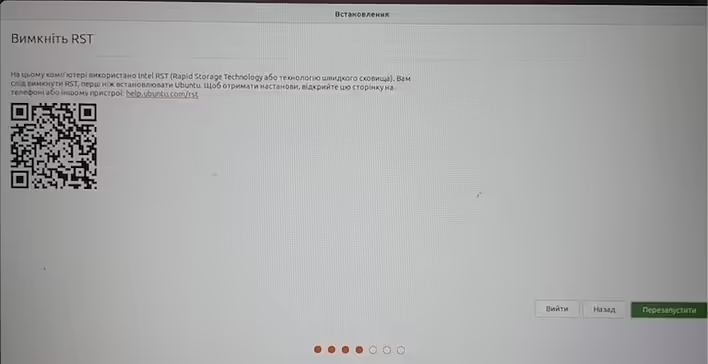
When installing Ubuntu on Acer Nitro I saw the following message (which interrupts the installation process.)
Disable RST Intel RST (Rapid Storage Technology) is used on this computer, you should disable RST before installing Ubuntu. For instructions, open this page on your phone or another device: help.ubuntu.com.rst
#1 Step. Enter BIOS settings.
To do this - you need to turn off the laptop. Turn it on and press F2. A more detailed step-by-step guide is here.
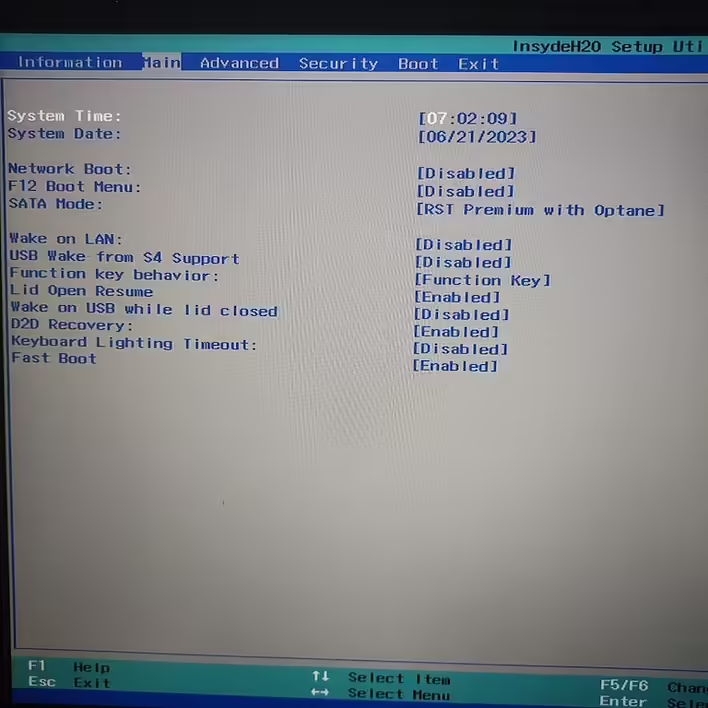
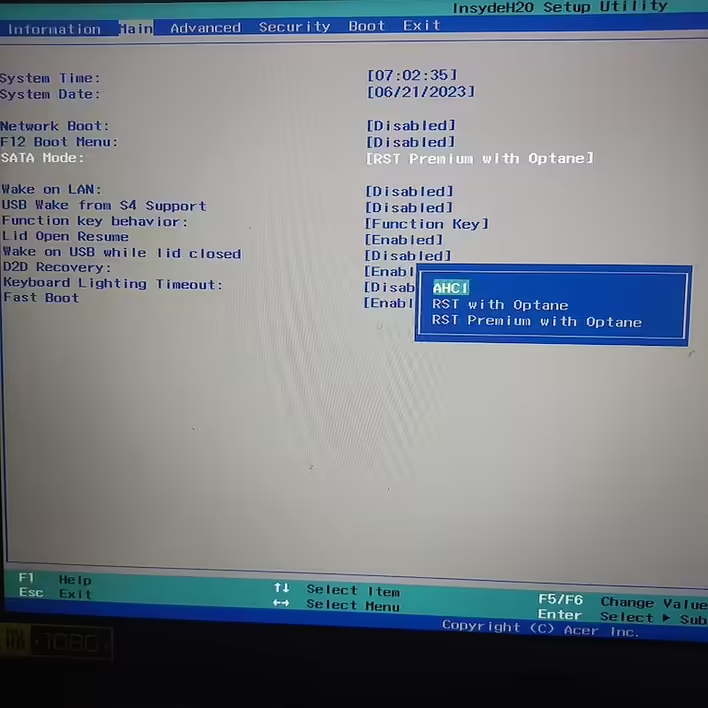
#2 Step. Change SATA mode to AHCI.
AHCI is a universal SATA interface standard. So we go to the Main tab in BIOS.
Like it?React
🧵
This post doesn't have any additions from the author yet.
